South Africa · Excel + Google Sheets · Rand
Invoices, quotes and a cashbook, made for South African small businesses
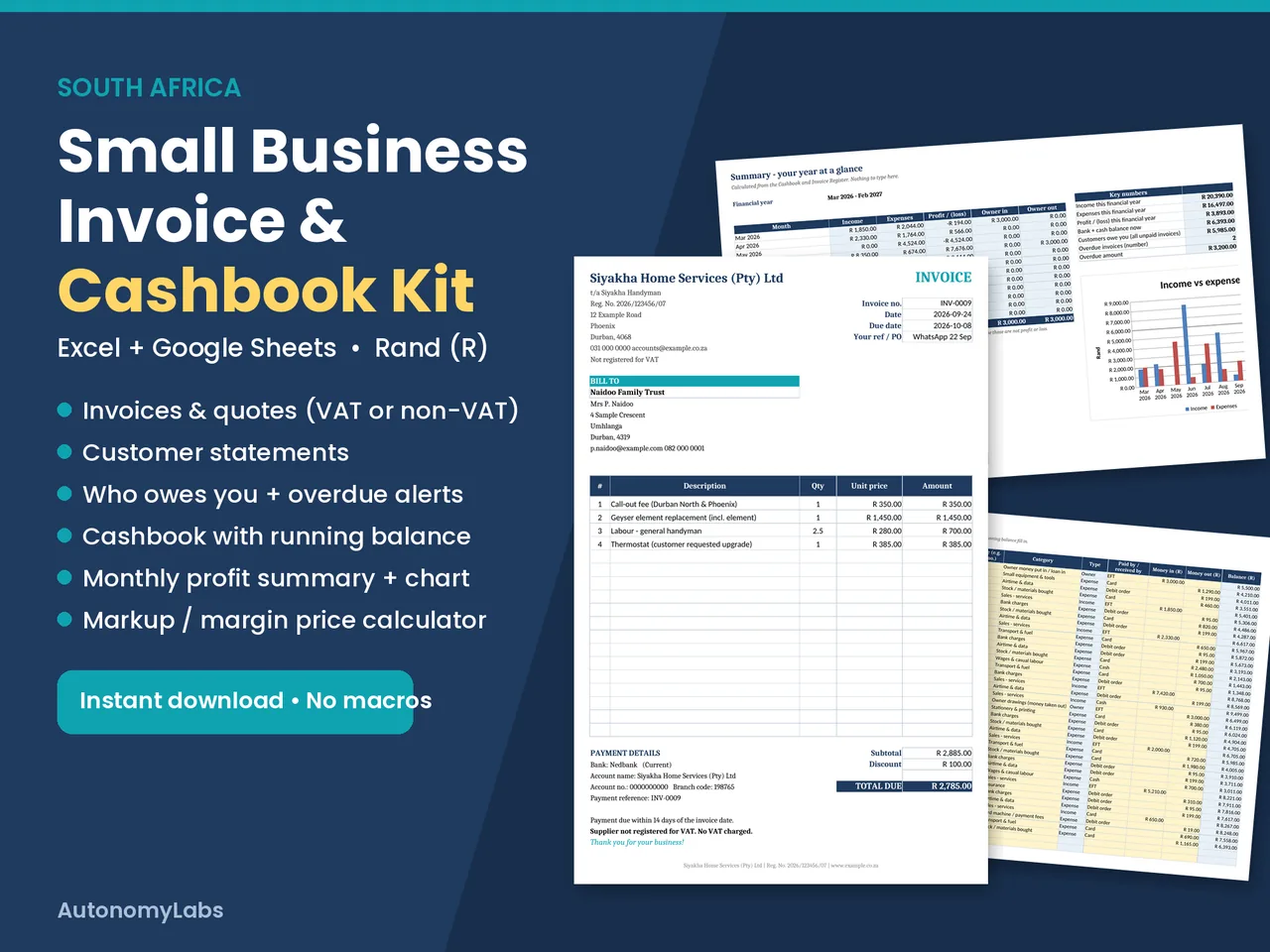
One Excel / Google Sheets file. Rand. VAT or non-VAT. Know who owes you and whether you made a profit this month. R149 once-off.
Sound familiar?
- You retype the invoice in Word every time, and the totals are sometimes wrong.
- You're not sure what to write on an invoice when you're not VAT registered.
- Customers pay late, and you only notice weeks later.
- At the end of the month you can't say whether you actually made a profit.
What the kit does
| You do | The kit does |
|---|---|
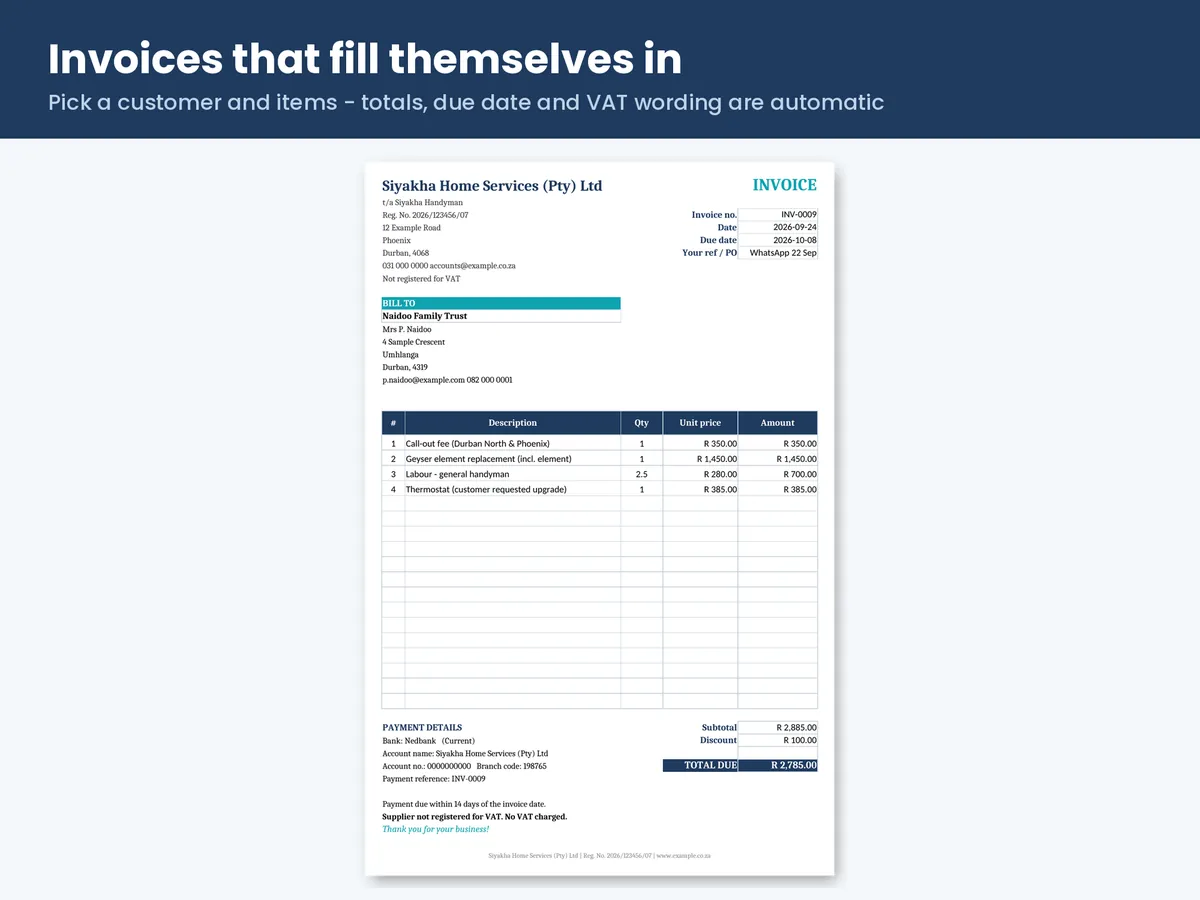
| Pick a customer and items | Fills in address, prices, totals, due date and payment reference |
| Choose "Not VAT registered" once | Uses "INVOICE", leaves out VAT and adds the right note |
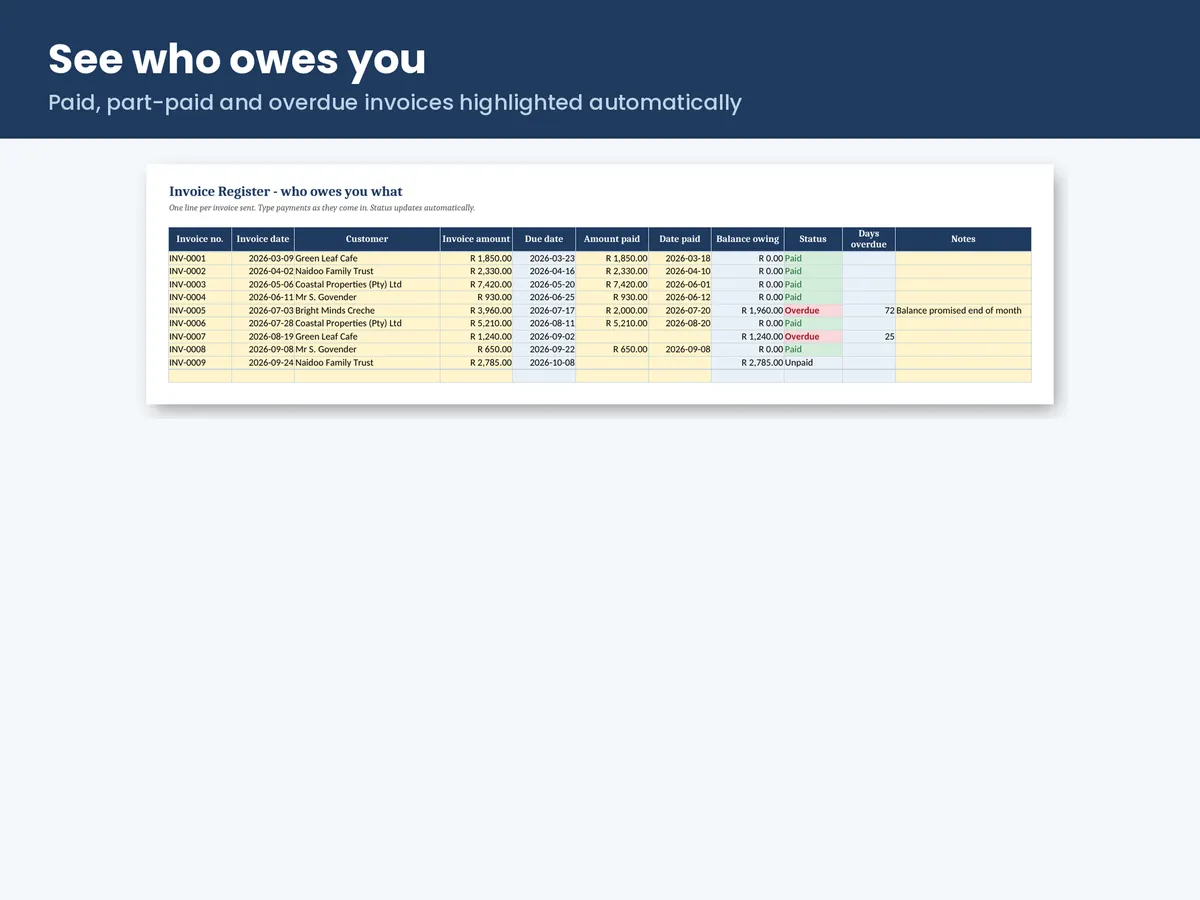
| Type a payment when it arrives | Marks invoices paid, part-paid or overdue, and counts days overdue |
| Record money in and out | Keeps a running bank/cash balance and a monthly profit summary |
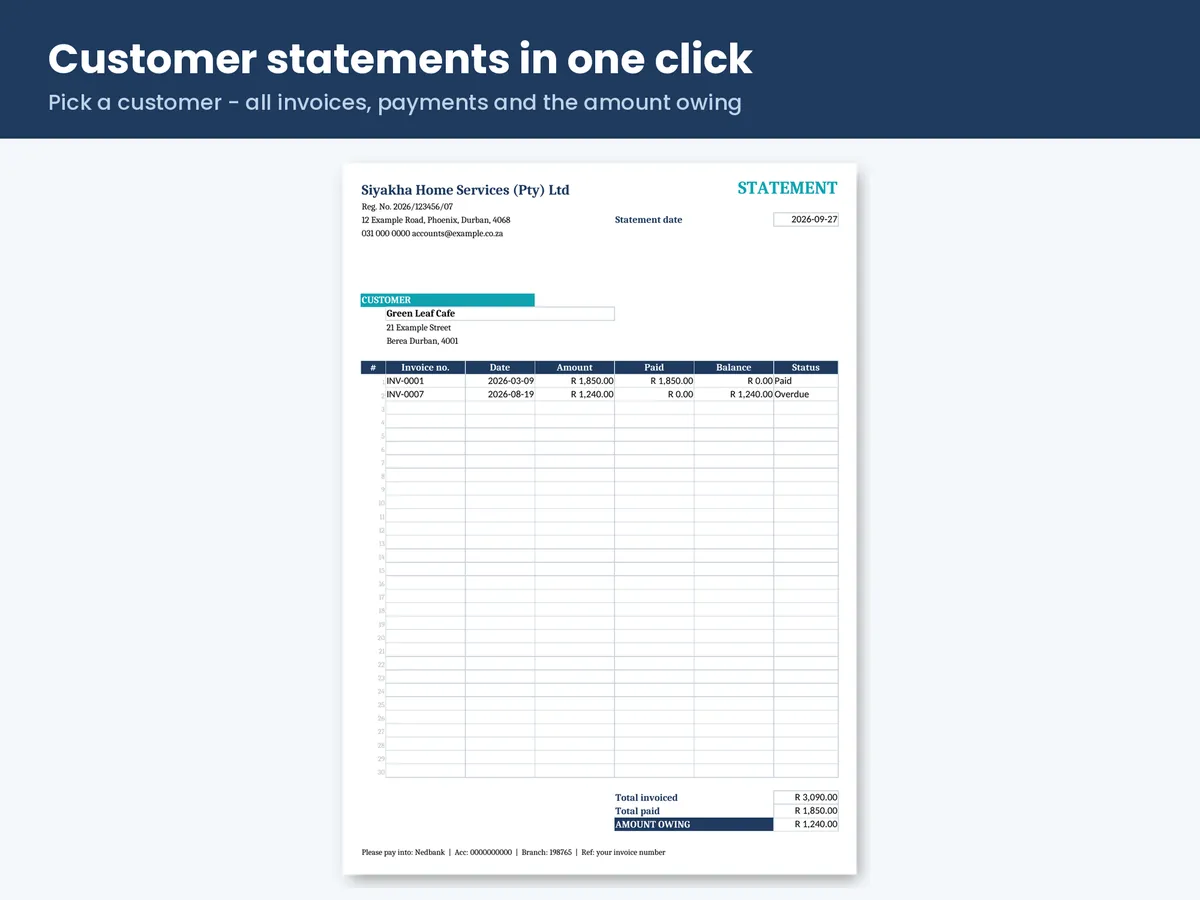
| Pick a customer | Builds a statement of everything they owe |
| Enter your cost | Works out prices from markup or margin, including card fees |
See inside the kit
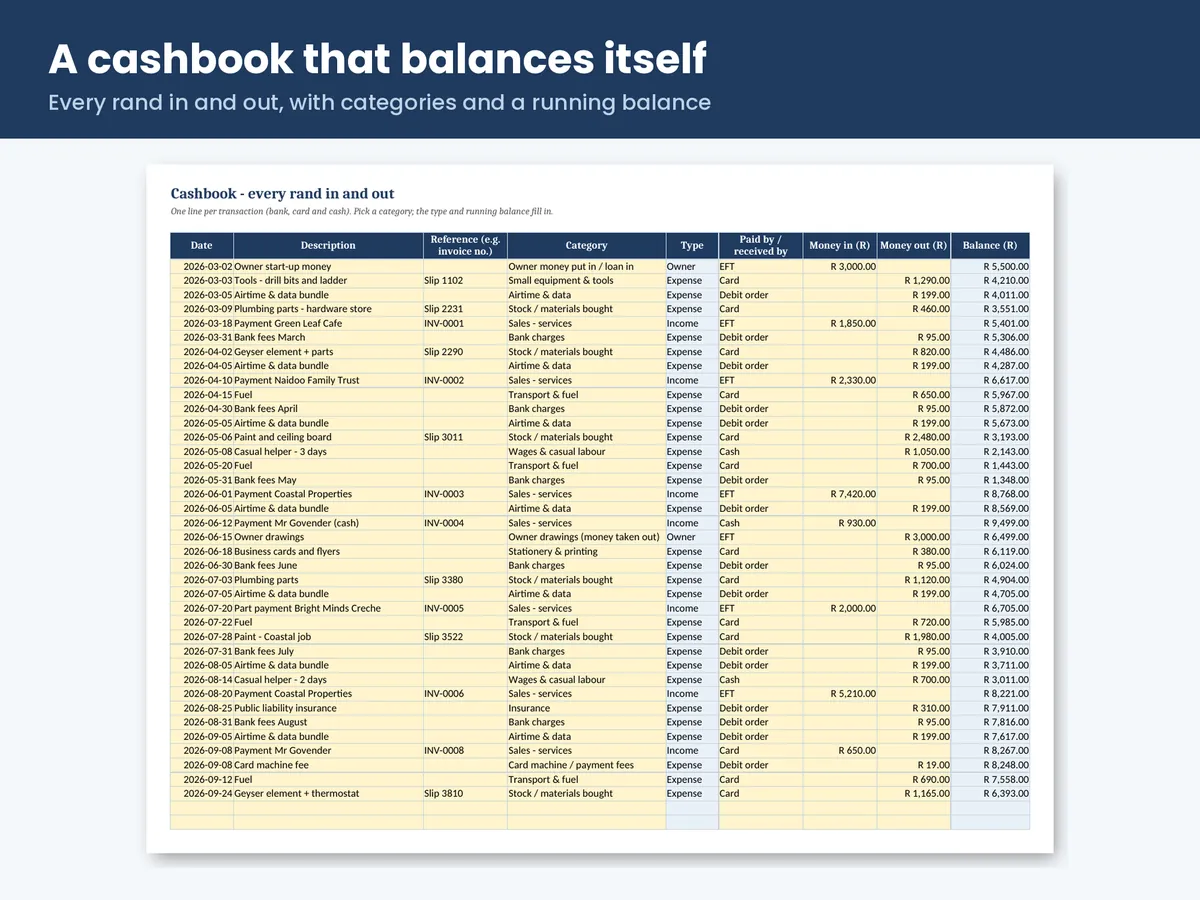
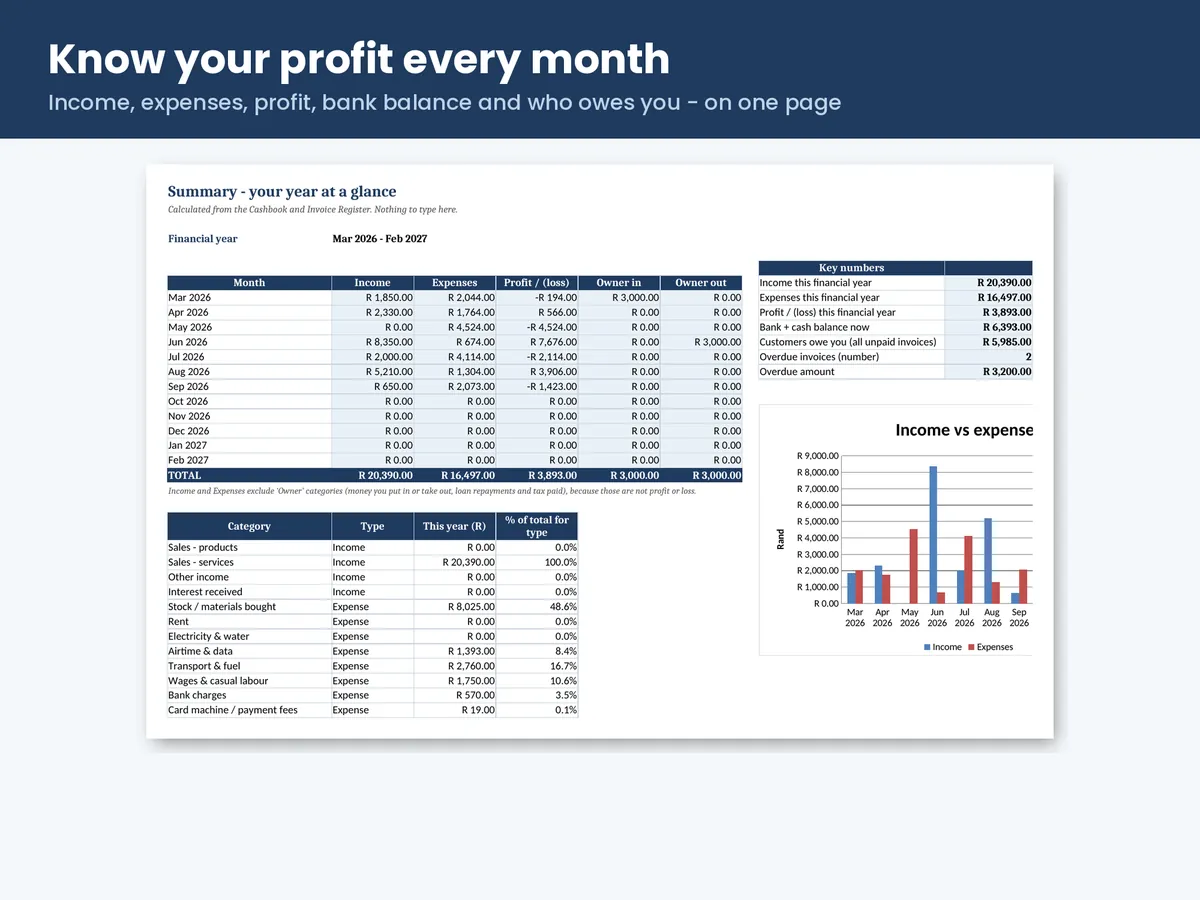
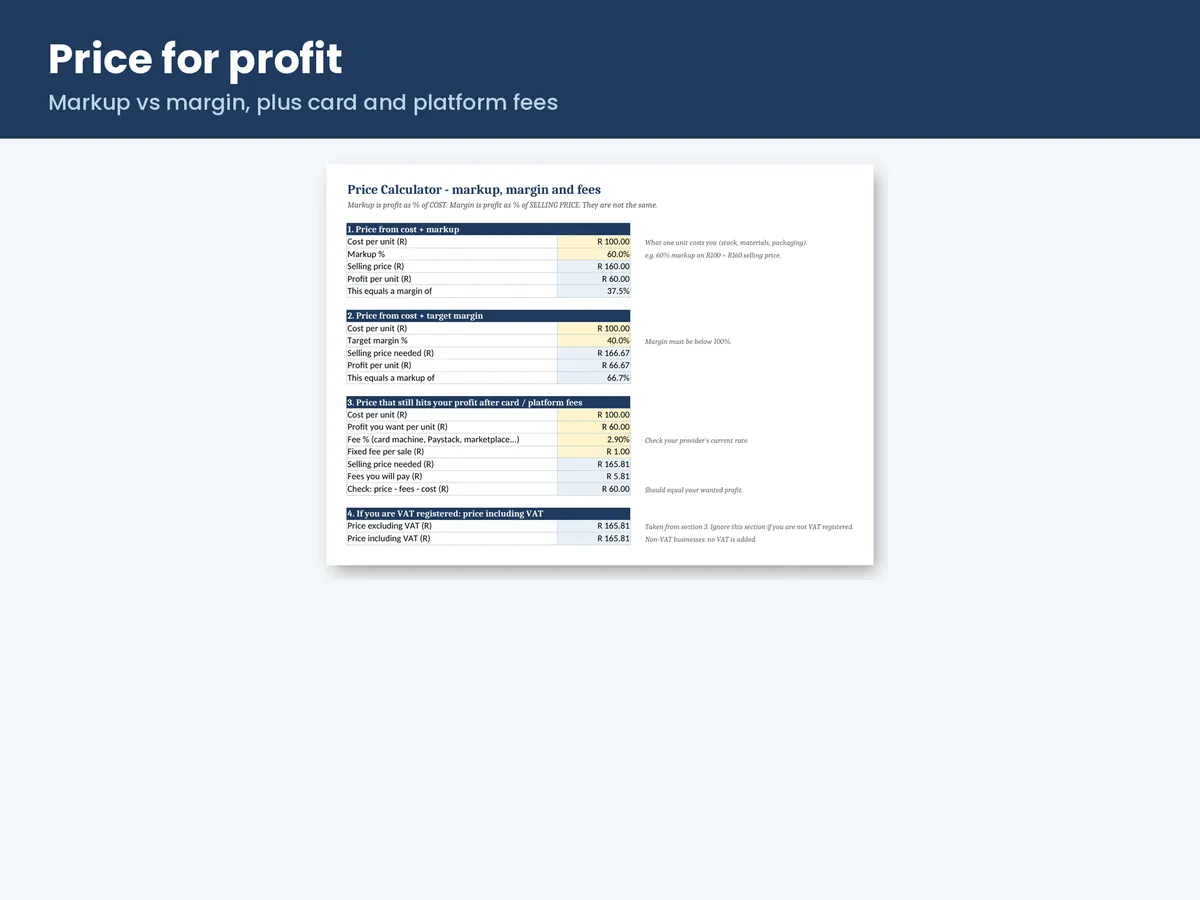
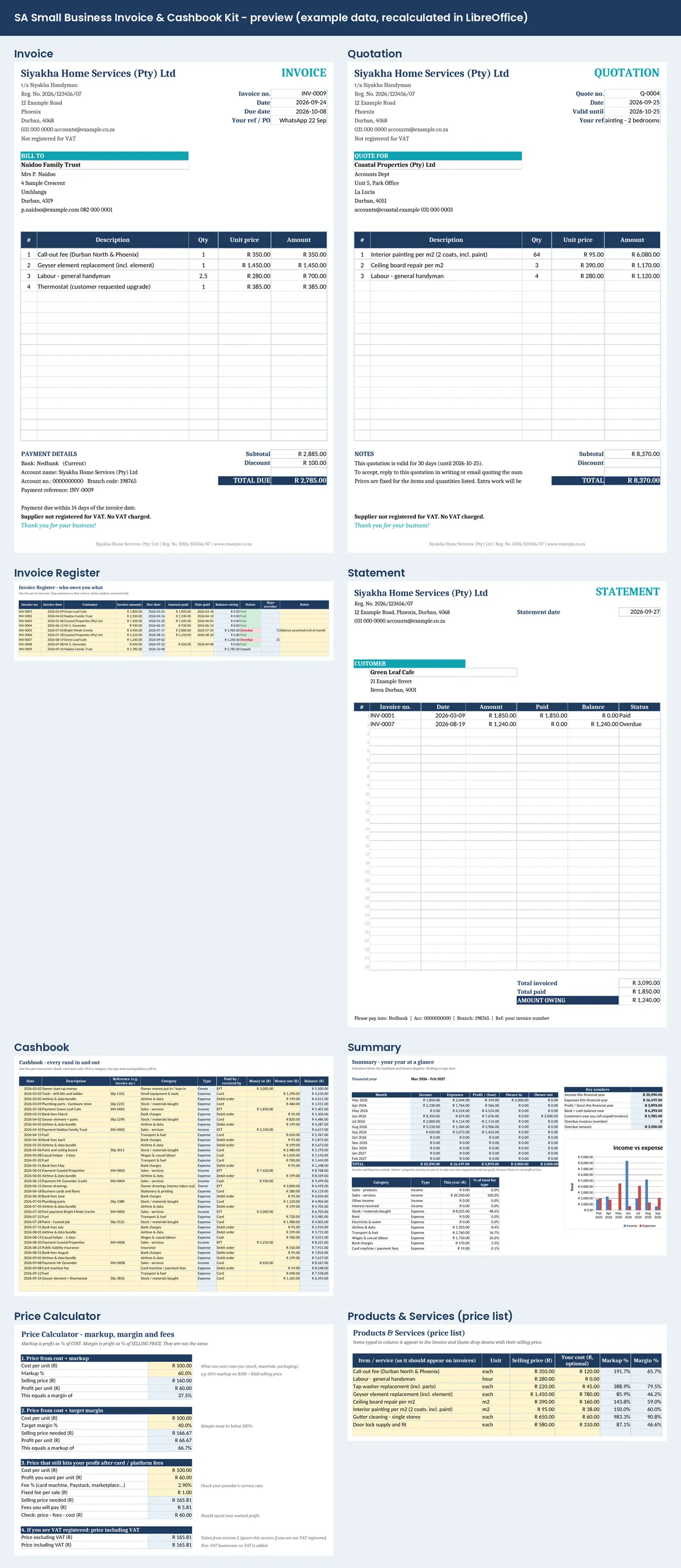
Real screenshots from the EXAMPLE workbook (a fictional Durban handyman business).
What's inside (one workbook, 11 tabs)
- Invoice. Pick a customer and items from drop-downs. Totals, due date and payment reference fill in. Prints to A4 or saves as a PDF.
- Quote. Same layout, with a "valid until" date.
- VAT or non-VAT. Not VAT registered: "INVOICE", no VAT line, "Supplier not registered for VAT". VAT registered: switch one setting for a "TAX INVOICE" with your VAT number and VAT at 15%.
- Company details. Your CIPC registration number prints on invoices and statements, as companies are required to show it.
- Invoice Register. Log payments. Paid, part-paid and overdue are highlighted, with days overdue.
- Customer Statement. Pick a customer to see all their invoices, payments and the amount owing.
- Cashbook. Every rand in and out, with 26 SA-friendly categories (airtime & data, fuel, stock, bank charges, owner drawings…) and a running balance.
- Summary. Income, expenses and profit per month for your financial year (March–February by default, changeable), spending by category, a chart, your bank balance and what customers owe you.
- Price Calculator. Markup vs margin, and the price that still leaves your profit after card-machine or Paystack fees.
- Customers and Products tabs. Type things once and pick them from drop-downs after that.
What you get
- The BLANK workbook, ready for your business
- An EXAMPLE workbook with a fictional Durban business, so you can see everything working
- A Quick-Start Guide (PDF)
- Works in Excel, Google Sheets (free) and LibreOffice. No macros.
Who it's for
Sole traders, (Pty) Ltds, freelancers, tradespeople, home bakers, salons, tutors, resellers and side hustles. Anyone who sends up to a few dozen invoices a month and doesn't want to pay monthly for accounting software yet.
Who it's not for
Businesses that need payroll, stock control across branches or full double-entry accounting. Use accounting software for that.
Good to know
- This is a record-keeping tool, not accounting software, and not tax or legal advice.
- Room for 1,000 invoices and 1,000 cashbook lines per year. Start a fresh copy each year.
- Digital download. Nothing is posted to you.
- Licence: use in your own business. Please don't resell or share the files. Licence terms.
Questions
Is it a subscription?
No. You pay once (R149) and keep the files.
I'm not VAT registered. Is this right for me?
Yes. That's the default setting. The document says "INVOICE", has no VAT line and prints "Supplier not registered for VAT".
Can I switch to VAT later?
Yes. Change one setting and enter your VAT number. The document becomes a "TAX INVOICE" with VAT at 15%.
Does it do my tax?
No. It keeps your records neat so tax time (or your accountant) is easier. It is a record-keeping tool, not accounting software, and not tax or legal advice.
Which programs does it work with?
Microsoft Excel (Windows, Mac and mobile), Google Sheets (free) and LibreOffice. No macros, no subscription and no internet connection needed.
Can I use it on my phone?
Yes, through Google Sheets or the Excel app. Typing is easier on a computer.
Can I add my logo?
Yes. Unprotect the Invoice sheet (there is no password) and insert your logo in the top-left.
How many invoices does it hold?
Room for 1,000 invoices and 1,000 cashbook lines per year. Start a fresh copy each year.
How do I get it?
Straight after payment you get a download link on screen and by email. It's a digital download: nothing is posted to you.
Can I share it with my bookkeeper or staff?
You can share the documents you create (invoices, quotes, statements) with anyone. The licence covers use in your own business; please don't resell, upload or give away the template files.
What if the file doesn't work?
Email us. If a file doesn't open or doesn't work as described, we'll fix or replace it, or refund you. See the refund policy.
Secure checkout on Payhip, with card payments processed by Paystack. Sold by Ubuhlakani Labs (Pty) Ltd t/a AutonomyLabs, Reg. No. 2026/174689/07, Durban. Not VAT registered.